
Deleting a survey
When you no longer require a survey, you can delete it from the Owned by you folder. This action cannot be undone.
- Open the survey you want to delete then select the pop-up menu.
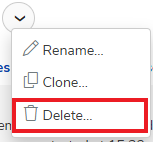
- Select the Delete menu.
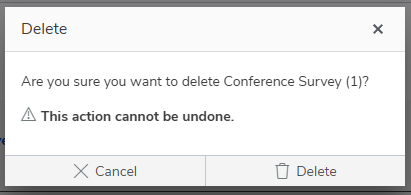
- Click Delete to confirm that you want to delete the survey.