Adding AI text summary
The AI text summary uses AI to provide a summary of the themes and recurring comments to your survey’s open-ended text questions, helping you quickly identify the main areas that your respondents find important.
Insert an AI text summary
- Open the dashboard and select the Insert widget menu.
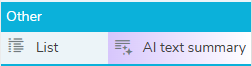
- In the Other menu, select AI text summary and drag to the dashboard editor. This adds the AI text summary to the dashboard and opens the settings.
- In Title, enter the title description for the AI text summary.
- The Type defaults to AI text summary, but you can change the type to any of the available charts or tables.
- Choose the Strategy you would like the AI to use. The options are abstractive, which generates a new summary rephrased using AI’s own words, or extractive, which selects key sentences directly from the original text.
AI text summary settings
There are two tabs: Definition and Style.
- The Definition tab defines which data is used in the list.
- The Style tab gives the option to customise the shadow, padding and size to content.
Definition
The Table type is set to List. The other options are not available for a list.
- In Variable, choose a variable from the list of the available open-ended text variables. The AI text summary uses the data responses of the selected variable to generate the summary.
- In Filter, enter the filter criteria, e.g. Q1=2.
Style
In the Style tab, you can set the shadow and padding and choose to size to content.
Save and Apply
- Click OK to save all the changes.
- Click Apply to apply the changes.
- Click Cancel to abandon the changes.
Click Refresh data to update the AI text summary with the latest response data.
Convert to narrative
You can use the AI text summary as the basis for a narrative. To do this, right click on the AI text summary and select Edit Text from the popup menu. This lets you edit the text from the summary and save it as narrative. You cannot revert back to the AI text summary once you have done this.
Resize the list
You can resize the list box by dragging the resize arrows.
Examples
Abstractive summary
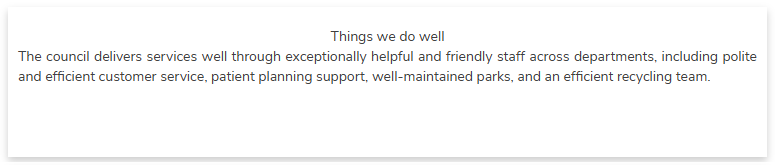
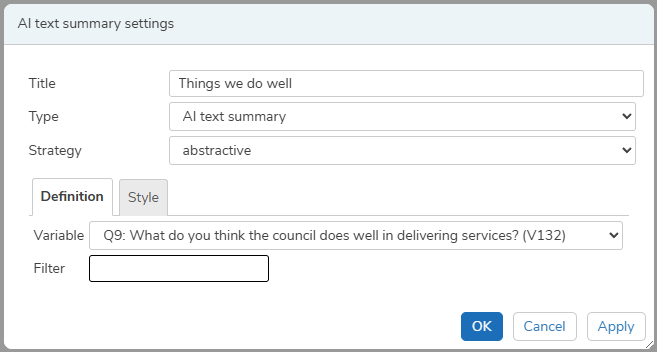
The AI text summary uses the abstractive strategy to show the themes from the residents’ responses on things that the council do well.
Select the abstractive strategy and the variable Q9, which contains the comments with positive feedback on council services.
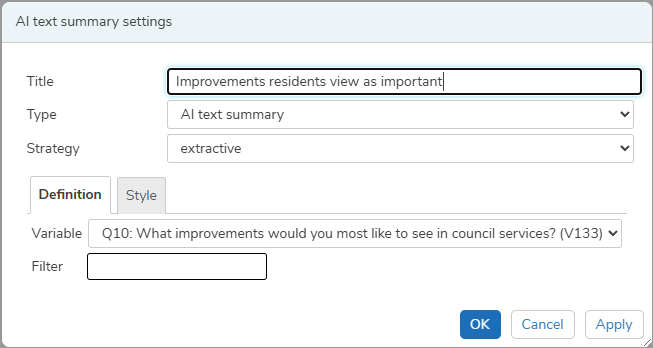
Extractive summary
The AI text summary uses the abstractive strategy to show the themes from the residents’ responses on improvements they would like to see.

Select the extractive strategy and the variable Q10, which contains the comments about improvements to council services.